Photo cloaking, explained
Fawkes, Glaze, and what photo cloaking can actually do
Fawkes is a free tool from the SAND Lab at the University of Chicago that adds changes to a photograph which are almost invisible to people but make it harder for facial-recognition systems to match that photo to you. It runs on your own computer. Glaze is its sibling for artists, and protects a drawing style rather than a face — the two are regularly confused.
CloakBioGuard applies the same class of protection as a hosted service, so you upload a photo in a browser instead of installing anything, for $2.99. None of this removes photos of you that are already online — cloaking only ever applies to the file you cloak, which is the single most important thing to understand before you spend money or an evening on it.
If you are not sure which problem you have, start with the scan — it tells you what is already indexed before you decide whether any of this is worth doing.
No sign-up needed for the scan.
- Built by
- SAND Lab, UChicago
- Published
- USENIX Security 2020
- v1.0
- April 2021
- Downloads
- 840,000+ by May 2022
The other half of the problem
Cloaking protects the next photo. Removal deals with the ones already indexed.
A face-search engine turns a photograph into a lookup key. Someone who has one picture of you — taken at a bar, screenshotted from a profile, pulled from a group shot — pastes it in and gets back your other photos, the accounts they sit on, and often your name and city. No name required, no account required. That is the product.
What being in one of these indexes actually costs you
A stranger can identify you on sight. Anyone who can photograph you in public — on a train, at a protest, across a bar — can know who you are and where you work before you have left the room.
It hands harassment a shortcut. An ex, an anonymous account, someone angry about a post: one photo is now enough to assemble the rest of your life. This is the harm people write to us about most, and it is the reason journalists, survivors and anyone who has been doxxed treat face search as urgent rather than theoretical.
It links you to photos you never chose. An index does not understand context. An old dating profile, a tagged photo from someone else’s party, a background face in a stranger’s upload, or an adult-site image that merely resembles you all get stitched to the same face — and to you.
It gets searched about you, quietly. Employers, landlords and anyone running an informal check can search a face instead of a name, which surfaces things a name search never would — and gives your photos to whoever is building the next round of scam profiles and deepfakes.
Why protecting your photos is not enough on its own
Cloaking edits one file at the moment you cloak it. It cannot reach a copy that was scraped last year, a photo a friend posted of you, or anything already sitting in an engine’s database — and once a single clean reference image of you exists in there, a system has what it needs to keep matching you. Protecting everything you publish from today forward raises the cost of matching you in future; it does not empty the index behind you.
That is the whole reason this site sells two different things. Removal clears what has already been collected. Cloaking makes the next batch harder to collect. Doing only the second one, while your face is already searchable, is the most common mistake people make here — and we would rather say so than sell you the wrong half.
What removal is, concretely
Paperwork, not technology. Each engine has an opt-out process, and someone has to file it, prove the face is yours, and chase the reply. You can do that yourself for free — the removal page tells you how — or we do it for you for $49.
Two named engines — PimEyes, FaceCheck.ID and Lenso.ai. A short, honest list rather than “and 50 others.”
You will need a photo ID, said here so it is not a surprise after you pay: the engines will not act on an opt-out without proof the face is yours. You can black out everything but your name and photo, and we delete it once your removals are filed.
Filed within two business days, then 2–6 weeks for the engines to confirm. We tell you what came down and what did not.
Not sure which half you need? The scan answers that first, free.
What Fawkes actually is
Fawkes came out of the Security, Algorithms, Networking and Data lab at the University of Chicago, in work led by Emily Wenger and Shawn Shan. It was presented at the USENIX Security Symposium in 2020, reached version 1.0 in April 2021, and had passed 840,000 downloads by May 2022. It is free, it is a standalone download for Windows, macOS and Linux, and it is the reference implementation of the idea most people mean when they say “photo cloaking”.
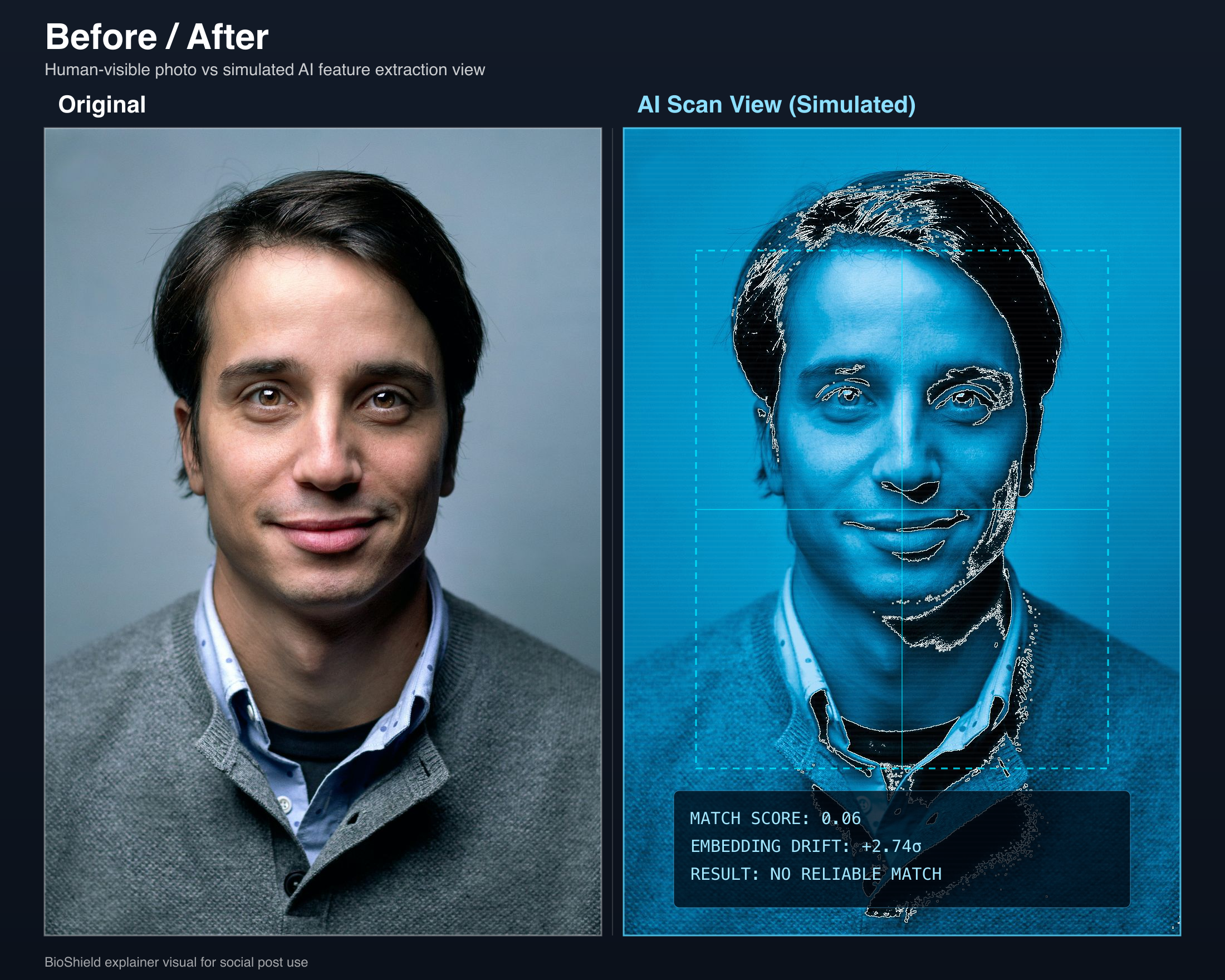
What it does is narrower than the coverage usually suggests. Fawkes does not blur your face, pixelate it, or add a visible pattern. It does not strip metadata. It computes a set of very small, carefully chosen pixel changes — an adversarial perturbation — and writes out a new copy of your photo containing them. To you the two files look the same. To a face-recognition model they describe noticeably different faces.
The research also describes a second, more aggressive idea: if most of the images of a person available to a model are cloaked, the model learns a distorted idea of what that person looks like, and then fails to recognise them even in an ordinary, un-cloaked photo. That property is what made the paper interesting, and it is also the source of the tool’s biggest practical limitation, which we get to below.
Fawkes or Glaze — you may want the other one
These two tools come from the same lab, use related techniques, and are constantly mistaken for each other. They solve different problems and are not interchangeable. Before going further it is worth making sure you are reading about the right one.
Fawkes — for faces
You are a person with a public photo, and you do not want a stranger to be able to upload it to a face-search engine and find the rest of your life. This is the tool for that problem, and it is what this page is about.
Glaze — for artwork
You are an illustrator or painter, and you do not want image generators trained on your work to reproduce your style on demand. That is a different problem, and we cannot help with it. Go to Glaze
A useful way to keep them straight: Fawkes protects who a picture is of. Glaze protects how a picture was made. A third tool from the same lab, Nightshade, is the offensive counterpart to Glaze — rather than hiding your style, it corrupts what a model learns from your image.
If you are an artist, here is what you actually need to know
We send a lot of people to Glaze from this page, so it is worth being useful about it rather than just pointing at a link. Three things are true and are not obvious from the homepage.
- 1
The desktop app is genuinely easy — no terminal
Unlike Fawkes, Glaze ships a real graphical app. You drag an image in, pick a cloak intensity, preview the glazed result before committing, and adjust if the artifacts are too visible. A GPU is not required, but without one it falls back to CPU mode and gets much slower — and the GPU path needs more than 3.6 GB of video memory, which rules out some older cards.
- 2
There is a free hosted version, and almost nobody mentions it
WebGlaze has been running since August 2023. It is a free web service from the same team: you upload art from a phone, tablet or browser, it is processed on their GPU servers, the result is emailed to you, and the images are deleted immediately afterwards. You do not need a capable computer at all. Access is invite-only and limited to human artists who do not use generative AI tools — you request an invite for free by messaging @TheGlazeProject on Twitter or Instagram.
- 3
It raises the cost of style mimicry — it does not stop it
This is the part to be clear-eyed about. Independent testing has found that art protection tools still leave creators exposed: in the strongest published study, a simple upscaling step was enough for a model to reproduce a Glaze-protected style well enough that reviewers preferred the copy more than half the time. The Glaze team actively ships updates against new attacks — version 2.2 added support for current NVIDIA cards — but treat it as a deterrent rather than a guarantee. That is the same caveat we apply to face cloaking on this page.
Together, Glaze and Nightshade have been downloaded close to nine million times — an order of magnitude more than Fawkes. If you came here looking for one of those, the links above are where you should go. We do not offer style protection and are not trying to sell you a worse version of a free tool that already works from your phone.
How a cloak works
Face recognition does not compare photographs the way people do. A model converts each image into a list of numbers — an embedding — that describes the face as a position in a high-dimensional space. Photos of the same person land close together in that space. Identifying someone means computing a position for a new photo and asking which known cluster it falls nearest to.
That framing is what makes cloaking possible. If matching is a question about position, you do not need to make a photo unrecognisable to defeat it. You only need to move where it lands. Fawkes searches for the smallest pixel change that shifts the embedding away from your true cluster, subject to a constraint that the change stays below what a person would notice.
Face embedding space
conceptual — not measured data
Three consequences follow, and all three matter more than the headline. First, the effect is model-relative: a cloak is computed against particular feature extractors, and its strength against a different system is an empirical question rather than a guarantee. Second, strength and visual fidelity are in direct tension — a bigger perturbation moves the point further but is easier to see. Third, and most importantly, the cloak lives in fine pixel detail, which is exactly what resizing and recompression throw away.
The part most guides leave out
Everything above describes what happens to one file. That is the whole scope of a cloaking tool: you hand it a photo, it hands back a protected copy. It has no reach into anything else.
The documented limitation of this approach is that its effect weakens when cloaked and un-cloaked images of the same person are both available. A recognition system that can see your old profile picture, a tagged group shot, or a conference bio page can build a usable reference from those, and your newly cloaked upload does not undo any of it.
Removal has the mirror-image weakness, and we say so on our own removal page: it is not permanent, because new photos of you get scraped and re-indexed later. Each approach fails precisely where the other works.
Already online
A removal problem
Everything you post next
A cloaking problem
Find what is already indexed, then get it removed. Cloaking a new photo does not affect any of it.
Protect what you post from here on. Otherwise the removed photos are simply replaced by new ones.
So the honest framing is a line drawn at today. Everything behind it — already published, already indexed — is a removal problem, and cloaking cannot touch it. Everything ahead of it is a cloaking problem, and removal does nothing about it. If you have any public presence at all, you have both, in some ratio you do not currently know.
Which is the argument for looking before buying anything. A scan tells you how much of your problem is already-indexed and how much is still ahead of you — and if the answer is “almost nothing is out there yet”, cloaking your next upload is genuinely most of the job.
No account needed for the first scan.
What can break a cloak
This is the section most pages selling this kind of protection do not write. It is also the one you should read most carefully, because these four factors determine whether cloaking is worth anything in your specific situation.
- 1
Un-cloaked photos of you that already exist
The big one, covered above. Cloaking is strongest for people with a small public footprint and weakest for people who have been visible online for years.
- 2
The recognition vendor changes their model
A cloak is computed against the feature extractors of the day. When a vendor retrains or replaces a model, previously cloaked images can become matchable again. This is not hypothetical: the SAND Lab has documented a case where changes to Microsoft’s backend reduced Fawkes’ effectiveness and required a coordinated response. Any protection in this category is a moving target rather than a permanent state.
- 3
Platforms recompress what you upload
Social platforms resize, re-encode and strip metadata on upload. The perturbation lives in fine detail, and compression discards fine detail. This degradation vector is rarely mentioned and applies to every tool in this category, hosted or local.
- 4
Time
Countermeasures are an active research area, and techniques that defeat cloaking continue to be published. A photo you protect today is protected against today’s systems.
“The researchers are also honest about the limits. There is no permanent guarantee. Defenses evolve. Anyone promising permanent immunity is selling certainty that the research itself does not support.”
— Evaluating anti-facial-recognition tools
How to run Fawkes yourself
Fawkes is free and you do not need us to use it. If you are comfortable on a command line, this is a real option and for some people it is the better one — your photo never leaves your machine, and you get to choose how aggressively it is protected.
- 1
Download it
Get the standalone binary for your operating system from the SAND Lab, or install the Python package if you would rather work from source.
- 2
Pick a protection mode
Fawkes exposes levels that trade cloak strength against visible artifacts. Lower settings keep the photo looking untouched; higher settings protect harder and are more likely to be noticeable.
- 3
Point it at a folder of photos
The first run also downloads model weights, so budget extra time for it.
- 4
Wait
Cloaking is compute-bound. On a laptop CPU, think minutes per image, not seconds.
- 5
Publish the cloaked file
It writes a new file next to each original. Upload that one — and keep the original somewhere private, because it is the un-cloaked reference you do not want indexed.
# Roughly what the local workflow looks like.
# Check the SAND Lab page for current flags and releases.

pip install fawkes
fawkes -d ./my-photos -m low

# Writes ./my-photos/<name>_cloaked.png next to each original.
The full step-by-step guideOfficial Fawkes download and documentation
How the options compare
Two rows below are unflattering to us and are the two worth reading first. Nothing in this category helps with photos that are already indexed. And a hosted service, by definition, means your photo leaves your device — which a local tool avoids entirely.
| Feature | CloakBioGuard$2.99 per photo | Fawkes, run yourselfFree | GlazeFree | Do nothing— |
|---|---|---|---|---|
| What it protects | Faces, in photos you upload from now on | Faces, in photos you process yourself | An artist’s visual style — not faces | Nothing |
| Underlying approach | Adversarial perturbation, with our own orchestration and validation layer | Adversarial perturbation (Fawkes, from UChicago SAND Lab) | Style perturbation against image generators | — |
| Cost | $2.99 per photo | Free | Free | Free |
| Install required | None — browser upload | Binary download, or a Python environment | Desktop app download | — |
| Time to first protected photo | About a minute | Setup plus processing — realistically an evening | Similar | — |
| Runs on your own machine | No | Yes | Yes | — |
| Helps with photos already indexed online | No | No | No | No |
| Protection strength control | Fixed — tuned to preserve how the photo looks | You choose the mode | Not applicable | — |
| Who maintains it when a face engine updates | Us | You, manually | SAND Lab | — |
| Your photo leaves your device | Yes — uploaded, then deleted | No | No | Not applicable |
| Best for | One profile photo, handled quickly | Technical users, many photos, maximum privacy | Visual artists | — |
What happens when you upload a photo to us
We are a hosted version of the workflow described above. You upload a photo in the browser, we apply adversarial protection built on proven methods from this research area with our own orchestration and validation on top, and you download a protected PNG. No account is required to protect a single photo.
Upload
Straight from the browser. We detect the face and check the image is usable.
Protect
Perturbation is computed server-side, tuned to keep the photo looking untouched.
Download
You get a PNG. Original and output are deleted after processing.
We tune for visual fidelity rather than maximum cloak strength. For a professional headshot — the overwhelmingly common case — a protected photo that looks visibly processed has failed at its actual job, because you will not use it. That is a real tradeoff and it is worth knowing you are making it: if you care more about protection strength than about artifacts, running Fawkes locally at a higher setting will protect harder than we do.
Your photo is uploaded to our servers to be processed, which is the unavoidable cost of not installing anything. If that tradeoff is unacceptable for a particular photo, use the local route above — that recommendation is not a formality.
What we don’t claim
We do not publish a live effectiveness percentage, and you should be suspicious of anyone in this category who does without showing their method.
We built a benchmark harness to measure protection survival through realistic transformations — resize, recompress, crop, thumbnail, metadata strip. It has not been run recently enough for any number it produced to be worth quoting, so we have taken those figures out of circulation rather than leave a stale number on a page where it reads as current. That is a gap in what we can tell you, and we would rather name it than paper over it.
A number worth publishing needs a fixed evaluator set, a documented transform suite, a sample size large enough to mean something, and a date. When we can show that, we will publish it here, including if it is unflattering.
Until then, the honest claim is the narrow one: cloaking raises the cost and lowers the reliability of matching a photo to you. It is not invisibility, and it does not expire on a schedule we can predict.
If your face is already indexed
If a scan shows you are already turning up in face-search engines, cloaking your next upload does not address that, and we are not going to pretend otherwise. Existing results come down through opt-out and removal requests to each engine — a slow, procedural task that you can do yourself for free, or hand to us for $49.
Find
We search the major face-search engines for photos matching your face.
Submit
We file the real opt-out and removal requests on your behalf.
Confirm
We track responses and tell you what came down and what did not.
We remove you from the face-search engines listed on that page — not from the thousands of individual websites that might host a photo of you. Those are a separate, far bigger task.
Removal isn’t always permanent — new photos of you can get scraped and re-indexed later. Which is the entire reason this page argues you need both halves.
Which of these are you?
I’m an artist protecting my style
You want Glaze, not this. Different problem, same lab.
Go to GlazeMy face is already all over the internet
Start with removal. Cloaking new uploads will not undo what is indexed.
Removal serviceI’m about to post a new headshot
This is the case cloaking is actually good at. Protect it before it is indexed.
Protect a photo — $2.99I don’t know where I stand
Scan first. You cannot choose between these until you know what is already out there.
Run the free scanFAQ
Questions people actually ask
Answers written to stand on their own, including where the answer is no.
How do I stop facial recognition from finding my photos?
There are three separate moves, and most people only make one. First, reduce what you publish: every public photo of your face is a potential reference image. Second, protect the photos you do publish, using an adversarial cloaking tool such as Fawkes from the University of Chicago SAND Lab, or a hosted service that applies the same class of protection for you. Third, deal with photos already indexed by face-search engines, which requires opt-out and removal requests, because no cloaking tool can reach an image that is already in someone else’s database.
Is there a version of Fawkes I don’t have to install?
Fawkes itself is a download you run on your own machine — there is no official hosted version. Hosted cloaking services, including CloakBioGuard, apply the same class of adversarial protection through a browser upload, which removes the Python environment, the model download and the local processing time. The tradeoff is real and worth stating plainly: a hosted service means your photo leaves your device. If that matters more to you than convenience, run Fawkes locally instead.
Does Fawkes still work in 2026?
Qualified yes. Fawkes works against the face-recognition feature extractors it was built to target, and the underlying technique remains sound. But effectiveness is not fixed: it depends on which system is doing the matching, and vendors change their models. The SAND Lab has documented at least one case where changes to Microsoft’s backend reduced the cloak’s effect and required a coordinated update. Anyone quoting you a single permanent effectiveness percentage for cloaking, ourselves included, is overstating what the research supports.
What’s the difference between Fawkes and Glaze?
They come from the same lab and use related techniques, but they solve different problems and are not interchangeable. Fawkes protects photographs of a person’s face, so that face-recognition systems have trouble matching that photo to them. Glaze protects an artist’s visual style, so that image-generation models trained on their work have trouble reproducing that style. Nightshade, from the same team, is the offensive version of Glaze: instead of hiding a style it corrupts what a model learns from the image. If you are protecting a face, you want Fawkes. If you are protecting how your work looks, you want Glaze.
Do I need a good computer or a GPU to run Glaze?
No, and there are two ways around it. The Glaze desktop app runs without a GPU by falling back to CPU mode, which works but is much slower; the GPU path needs more than 3.6 GB of video memory, so some older cards do not qualify. Separately, the Glaze team runs WebGlaze, a free hosted version that processes your art on their own GPU servers and emails the result back, so you can glaze from a phone or tablet with no capable computer at all. WebGlaze is invite-only and limited to human artists who do not use generative AI tools; invites are free by messaging @TheGlazeProject on Twitter or Instagram.
Can ChatGPT run Glaze or Fawkes for me?
No. An AI assistant can explain these tools and point you to them, but it cannot run them on your images. Glaze is a desktop application and a separate hosted web service, neither of which an assistant can drive on your behalf, and both depend on model weights and GPU processing that are not available inside a chat session. Fawkes is a program you download and run on your own machine. If you want art protection without installing anything, use WebGlaze directly. If you want face protection without installing anything, that is what a hosted cloaking service does.
Will cloaking my photo remove it from PimEyes?
No. Cloaking changes one image file at the moment you protect it. It has no effect on copies of that photo, or any other photo of you, that are already indexed by PimEyes or any other face-search engine. Removing existing results is a separate process that requires opt-out and removal requests to each engine. Cloaking is about what happens next, not about what is already there.
Does Fawkes work if my photos are already on the internet?
Its effect is significantly weaker in that situation, and this is the limitation most coverage of Fawkes leaves out. Cloaking works best when the cloaked images are the main reference images available for a person. If a recognition system can also see un-cloaked photos of you — old profile pictures, tagged group shots, a conference bio page — it can still build a usable reference from those. If you already have a public presence, cloaking new uploads is worth doing, but on its own it will not make you unfindable.
Is $2.99 worth it when Fawkes is free?
If you are comfortable in a terminal and have an evening to spare, run Fawkes yourself: it is free, it is from the researchers who invented the technique, and your photo never leaves your computer. That is genuinely the better option for technical users protecting many photos. Paying makes sense when you want one profile photo handled in about a minute, on a machine that is not yours to configure, without installing a Python environment or downloading model weights.
Is it safe to upload my photo to a cloaking service?
It is a real tradeoff and you should weigh it rather than dismiss it. Uploading means a copy of your photo exists on someone else’s server, at least briefly. We delete the original and the protected output after processing and do not require an account to protect a single photo. But on this specific axis, running Fawkes locally is strictly better, because nothing leaves your machine at all. That is the honest comparison.
Can a cloak be detected or reversed?
Detection is plausible in principle — the perturbations follow patterns, and a system that expects cloaked images can look for them. Reversal is harder but is an active area of research, and the arms race between cloaking and countermeasures is ongoing in both directions. Treat cloaking as raising the cost and unreliability of matching, not as a permanent guarantee. The researchers who built these tools say the same thing.
Will the cloaked photo look weird on LinkedIn?
It should not at normal viewing sizes, which is the entire design goal of this class of tool. The perturbations are constrained to stay below the threshold of ordinary human perception. That said, artifacts are subtle rather than absent: at high zoom, on large flat areas of skin or background, a careful eye can sometimes see faint texture. Protection strength and visual fidelity trade against each other, and we default to preserving how the photo looks.
What about LowKey and the other tools?
LowKey is the other well-known academic tool in this category and takes a similar adversarial approach against face recognition. The commonly reported tradeoff is that its alterations tend to be more visible than Fawkes’, which matters a great deal if the photo is your professional headshot and much less if it is not. There is no single best tool here; there is a tradeoff between how strongly an image is protected and how untouched it looks.
Does it still work after LinkedIn recompresses my photo?
Recompression is a genuine degradation vector and it is rarely mentioned. Platforms resize, re-encode and strip metadata from photos on upload, and those transformations can weaken an adversarial cloak, because the perturbation lives in exactly the fine detail that compression discards. Upload the protected PNG you receive rather than a screenshot or a re-exported copy, and expect the platform to re-encode it regardless. This is a known limitation of the whole category, not of any one tool.
Sources
Everything above about Fawkes and Glaze comes from the researchers who built them. If you are evaluating this category, read them directly rather than taking our summary for it.
- Shan et al., “Fawkes: Protecting Privacy against Unauthorized Deep Learning Models” — USENIX Security Symposium, 2020. The original paper.
- SAND Lab — Fawkes project page. Downloads, current releases and documentation.
- SAND Lab — Glaze project page. The tool for artists protecting a visual style.
- Wikipedia — Fawkes (software). Background, adoption figures and documented limitations.
Related reading here: evaluating anti-facial-recognition tools and how face search is actually used.