CloakBioGuard by WellnessLabs
Protect your public profile photo from face search, scraping, and deepfake misuse
Protect the exact headshot you plan to post to LinkedIn, your company site, your portfolio, or any other public profile. Check the photo first if you want a quick matchability readout before you buy.
Data handling
Encrypted in transit + at rest
Uploads are processed securely and can be deleted after protection.
Methodology
Research-backed adversarial ML
Tested against widely used facial-recognition matching patterns.
Guarantee
Protection is the main workflow
Use the optional scan only if you want a quick image-level check before deciding.
Before / After
What people see vs what AI matching systems infer
Left is the normal photo view. Right is a simulated AI extraction view showing why matching confidence drops after protection.
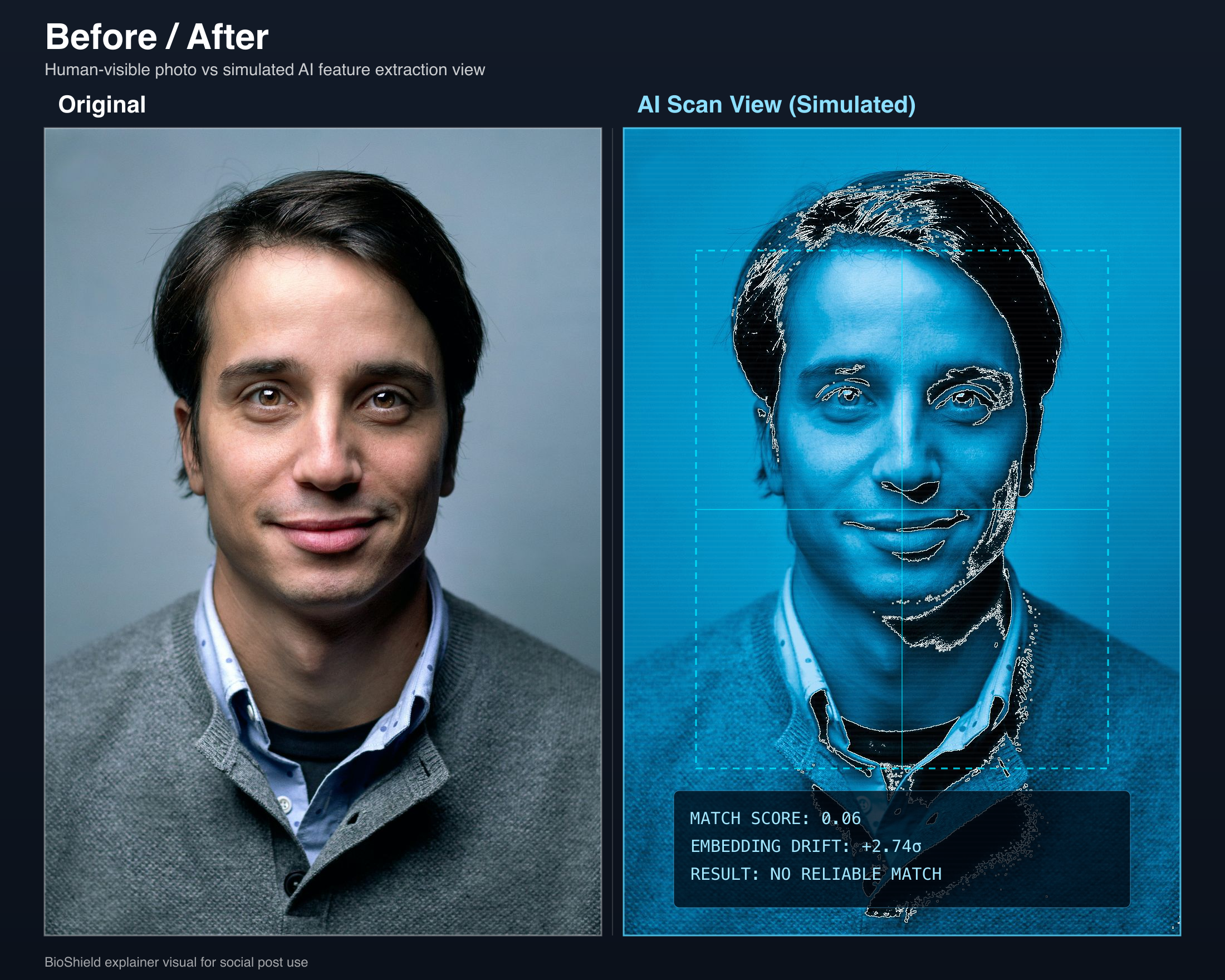
If the image is going public, protection is the main step. The scan is just an optional pre-check.
Protect My PhotoHow it works
Same photo. Invisible armor.
Built on proven adversarial ML techniques and continuously tested against modern facial-recognition systems.
Upload or snap
Add your profile photo or take one with your camera.
Protect the image
Apply invisible protection designed for public-facing profile photos.
Download and post
Use the protected version normally on LinkedIn, company pages, and beyond.
Check how usable the photo is for facial recognition
This quick diagnostic estimates how easy the uploaded image is for face-recognition systems to use. It does not search the web or confirm where your photo appears online.
Check This Photo FirstSecurity details
"If I upload my photo, am I increasing risk?"
No. CloakBioGuard is designed to reduce exposure, not expand it. Files are encrypted in transit and at rest, processing is isolated, and you can remove originals after protection.
Encryption: HTTPS/TLS during upload and encrypted storage.
Retention control: delete originals after protection workflow.
Checkout security: Stripe-hosted payment flow.
Why people convert
Personal risk is what drives action
People rarely buy from abstract warnings. They buy when the image is about to go public and the next step is obvious.
Customer signal
"Protecting biometric data like profile pictures is essential for privacy and identity theft prevention."
Who needs this
Anyone with a profile picture online
Professionals
Your LinkedIn headshot is a frequent source for facial-recognition databases.
Privacy-Conscious Users
Reduce reverse-search matching across major public face-search systems.
Executives & Public Figures
Lower impersonation and deepfake abuse risk from publicly available headshots.
60B+
Images scraped by Clearview AI
$200M+
Deepfake fraud losses in Q1 2025
2 min
Typical time to protect one public-facing photo
Protect your LinkedIn photo in one click
Install the CloakBioGuard Chrome extension and protect your profile photo directly from LinkedIn — no uploads, no extra tabs.
For Developers
Protect at scale with our API
Integrate facial recognition protection into your platform. HR tools, dating apps, identity verification — any product with user photos.
REST API
Simple POST endpoint. Send an image, get a protected image back.
Async Processing
Submit jobs and poll for results. Built for millions of photos.
API Key Auth
Secure, rate-limited access with per-key usage tracking.
curl -X POST https://api.cloakbioguard.com/v1/protect \
  -H "X-API-Key: bsk_your_api_key" \
  -F "file=@headshot.jpg"

# Response: { "job_id": "abc-123", "status": "processing" }

curl https://api.cloakbioguard.com/v1/status/abc-123 \
  -H "X-API-Key: bsk_your_api_key"

# Response: { "status": "completed", "download_url": "/v1/download/abc-123" }
Popular Guides
Guides for the face-search and scraping problems people actually search for
What reverse face search is and why it matters
For people trying to understand how face-search tools find and reuse public photos.
Read guideHow to find where your face appears online
For people who want to audit exposure before they change or protect a photo.
Read guidePimEyes opt out guide
For people actively trying to remove or limit face-search visibility.
Read guideHow to remove photos from PimEyes
For urgent remediation after a face-search result or unwanted discovery.
Read guideProtect your LinkedIn photo from scraping
For professionals whose public headshot is tied directly to identity and reputation.
Read guideHow to stop facial recognition from using your photo
For people trying to reduce machine matching before the next upload.
Read guidePricing
Choose the right protection package.
1 Photo
$2.99
$2.99/photo
- Full photo cloaking
- Invisible to facial recognition
- Instant download
- Secure Stripe checkout
5 Photos
$9.99
$2.00/photo
- Full photo cloaking
- Invisible to facial recognition
- Instant download
- Secure Stripe checkout
10 Photos
$14.99
$1.50/photo
- Full photo cloaking
- Invisible to facial recognition
- Instant download
- Secure Stripe checkout
Need volume pricing for teams?
API access as low as $0.49/photo. View all plans